Studio Flow SF logoStudio Flow
FOR ARTISTS, PRODUCERS, ENGINEERS & STUDIO OWNERS

Studio Flow
Find your flow.

Your sessions. Your team. Your creative business.
Bring studio operations and creative work into one private workspace.

Northside Studio / OverviewDEMO ACCOUNT
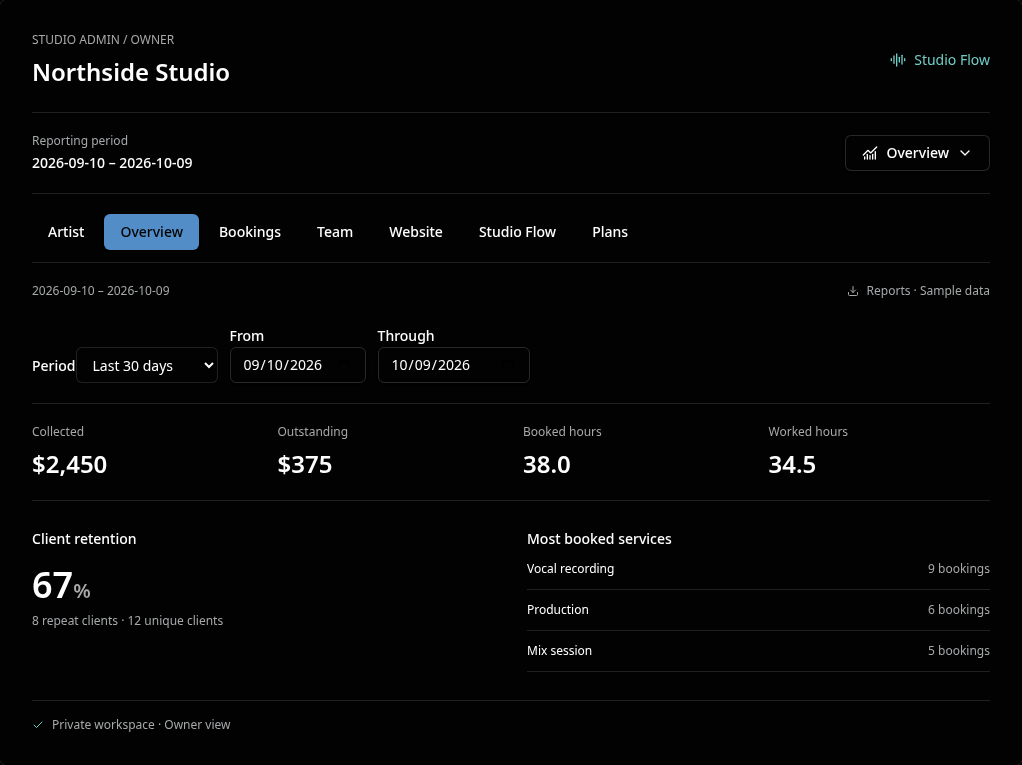
Demo studio workspace showing booked and worked hours, collected amounts and client retention with fictional sample data

Demo screenshots contain fictional sample data.

WATCH THE TRAILER

See Studio Flow in motion.

01 / Artists

Your music. Your audience.

Write in The Booth with rhymes that appear as you speak, keep every song and version together in Album Mode, then share paid listening links and bring it all together on your own creator website.

  • The Booth — record a line, get rhymes for your last word instantly
  • Album Mode with drag-to-reorder tracklists & version history
  • Paid or free listening links with listener feedback
  • Creator website with your socials, videos & visitor insights
Create your account

STUDIO ADMIN / OWNER

Northside Studio

Studio Flow

Reporting period

2026-10-26 – 2026-11-24

2026-10-26 – 2026-11-24Reports · Sample data

Album Mode / Listening links

After Hours EP

4 songs · Mix versions saved

01 / Midnight DriveMix v2
02 / Slow MotionMix v2
03 / City LightsMix v2
04 / After HoursMix v2

Midnight Drive · Paid listening link

Price

$5.00

Sales

12

Plays

36

Fictional example · Paid access requires a connected Stripe account. Fees apply.

Interactive demo · Fictional data, not a live payment or audio result.

02 / Producers

From the beat to the next collaboration.

Chop and flip samples in the Sample Editor, split any track into stems, find key and tempo in seconds, and send listeners to your own beat store from a website you design around your sound.

  • Sample Editor — chop, halftime, reverse, pitch & effects
  • Stem Extractor — vocals, drums, bass & melody from any mix
  • Key & BPM Finder, Genre Analyzer & Audio Converter
  • Beat store links, branding & artist inquiries on your site
Create your account

STUDIO ADMIN / OWNER

Northside Studio

Studio Flow

Reporting period

2026-10-26 – 2026-11-24

2026-10-26 – 2026-11-24Reports · Sample data
Studio Flow · creative tools preview

From the beat to the booth.

Every plan includes the creative toolkit. Sample screens below use fictional audio.

Key & BPM finder

Midnight Run.mp3

BPM142
KeyF# minor
GenreTrap / R&B
Quick Master

Mastering chain preview

DynamicsMultiband compression
ToneWarmth · EQ · Width
Target / Ceiling−14 LUFS / −0.3 dBFS

Booth lyric notepad

Autosaves to the session song

Last wordtonight
Rhymeslight · flight · right

Album Mode

Pulls songs across session dates

Songs imported7
Sessions3 dates
StatusSequencing
Interactive demo · Fictional data, not a live payment or audio result.

03 / Engineers

Keep the session moving.

Connect the scheduler you already use, follow bookings and deposits, and keep client sessions, audio and mix versions in one private workspace. Preview with Quick Master, then share a listening link for the next review.

  • Connect your scheduler — Google Calendar today, more soon
  • Private creative sessions & saved audio per client
  • Quick Master with dynamics, EQ & loudness targets
  • Booking calendar, client details & deposit links
Create your account

STUDIO ADMIN / OWNER

Northside Studio

Studio Flow

Reporting period

2026-10-26 – 2026-11-24

2026-10-26 – 2026-11-24Reports · Sample data

Studio sessions

Nova James

Vocal recording · 10:00 AM

Booked 3.0 hrs / Worked 2.5 hrs

Completed

Kai Rivers

Mix session · 1:30 PM

Booked 2.0 hrs / Worked 2.0 hrs

Completed

Jules West

Vocal recording · 4:00 PM

Booked 3.0 hrs / Worked — hrs

Scheduled
Interactive demo · Fictional data, not a live payment or audio result.

04 / Studios

The whole room, connected.

Coordinate your team, follow bookings and deposits straight from your calendar, and see the numbers behind the work — up to 24 months back. Engineers keep their own creative files while your studio stays organized.

  • Team profiles, invitations & availability
  • Calendar-driven revenue, hours & client reports
  • Up to 24 months of history from your connected scheduler
  • Exportable date-range reports & archived bookings
Create your account

STUDIO ADMIN / OWNER

Northside Studio

Studio Flow

Reporting period

2026-10-26 – 2026-11-24

2026-10-26 – 2026-11-24Reports · Sample data

Collected

$0

Outstanding

$0

Booked hours

0.0

Worked hours

0.0

Client retention

0%

0 repeat clients · 0 unique clients

Most booked services

Private workspace · Owner view
Interactive demo · Fictional data, not a live payment or audio result.
01 / Organize your studio02 / Connect your engineers03 / Build your presence

THE WORKSPACE

Less scattered.
More in session.

Every session, accounted for.

Manage studio bookings, record booked and worked hours, and keep deposit and balance records together.

One studio. Your team.

Invite engineers and managers into your workspace. Give each engineer a private place for their creative sessions.

Know how your studio performs.

See collected amounts, outstanding balances, returning clients and most-booked services. Export date-range reports and revisit archived bookings.

A presence that is yours.

Publish a creator website with your photos, logo and theme. Connect your BeatStars profile and collect artist inquiries.

Keep the creative work connected.

Open Studio Flow for saved albums, projects and audio utilities. Keep engineer files private within your studio workspace.

Private by design.

Separate studio-owner and engineer access, account recovery, and an email security code for studio admins. Platform records stay separate.

A CLOSER LOOK
From the session to the team.

Open interactive demo
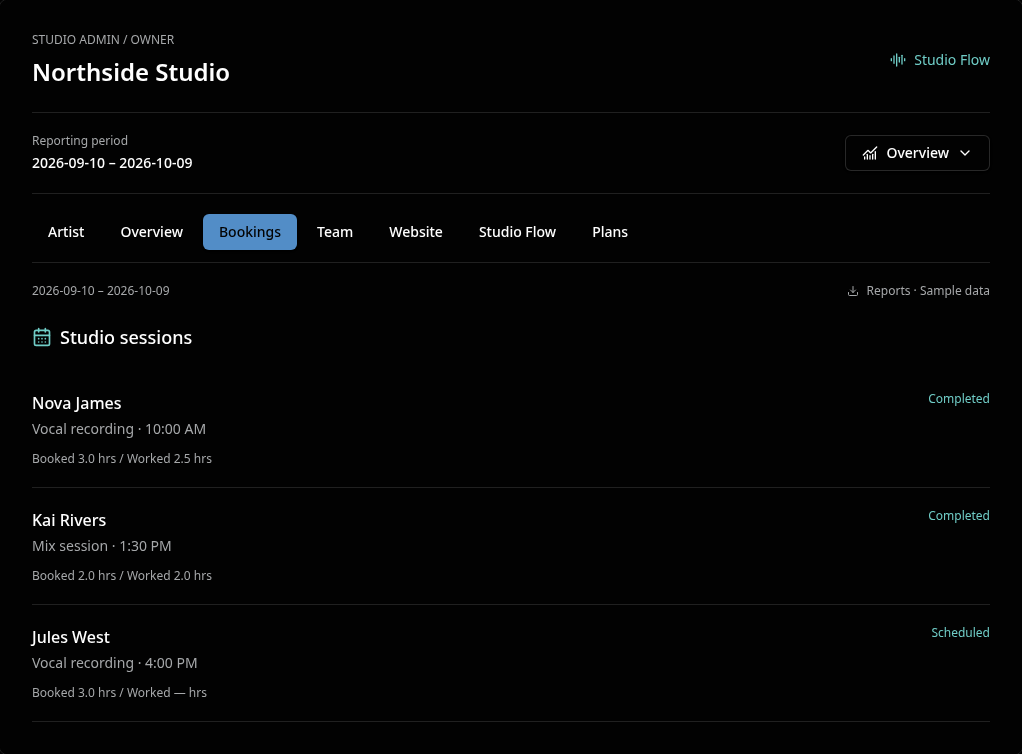
Sessions with the details in place. Fictional studio demo screenshot.

Sessions with the details in place.

Booked and worked hours, artist names and session status.
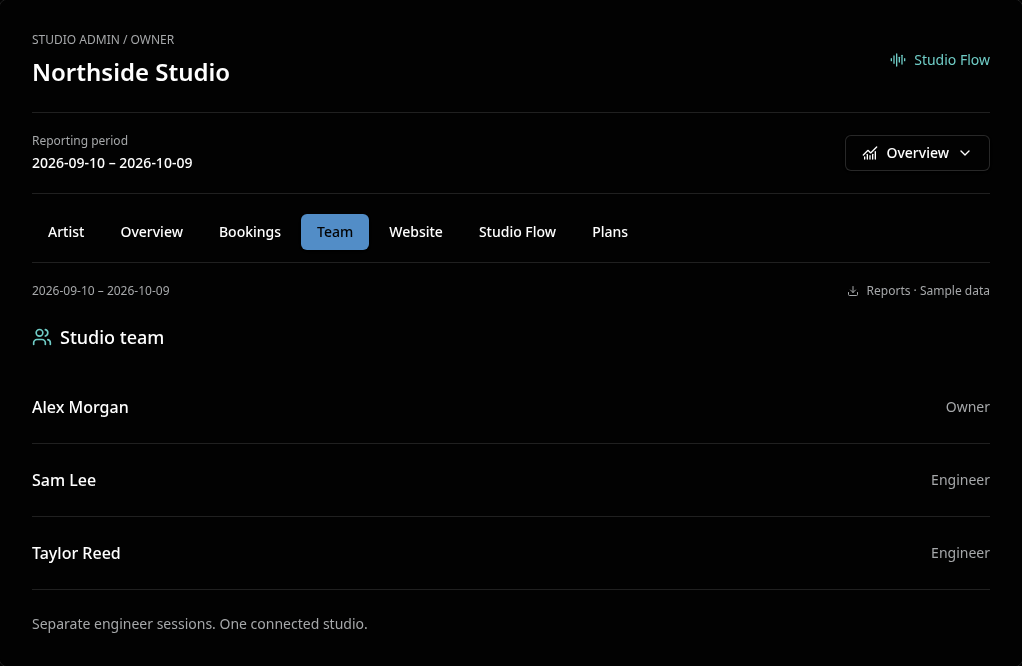
Built for a connected studio. Fictional studio demo screenshot.

Built for a connected studio.

Clearly identified owners and engineers in your studio team.

TWO SIDES. CLEARLY SEPARATE.

Your studio account.
Not platform administration.

Customer accounts are for studio owners, engineers and producers. Studio owners manage their own workspace, not the platform’s overall revenue or membership records.

Studio customers

Create an account or return to your studio workspace.

This is the studio-workspace account, separate from the optional artist beat-vault membership.

Make room for the work
that matters.

Create your studio account